Disclosure: This is an editorial review of AiNowly’s current browser-based tools and site features. It is not presented as a laboratory benchmark or controlled performance test.
AiNowly has expanded from AI software coverage into a broader toolkit for everyday digital tasks. The site now brings together browser-based utilities for images, PDFs, documents, design, and general productivity, with the goal of helping users complete small jobs without opening heavyweight software or creating another account.
This review focuses on what the toolkit offers, where it is most useful, and what users should still check before relying on the output for important work.
The Free Tools Are the Main Event
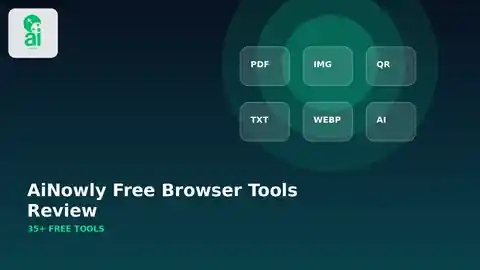
The strongest part of the current AiNowly experience is the way practical utilities are grouped in one place. Instead of searching for a different website every time you need to compress an image, merge a PDF, resize a photo, or create a QR code, the site organizes those tasks under a single toolbox.
Popular options include a background remover, image compressor, image resizer, Images to PDF, PDF to Images, Word to PDF, PDF to Word, Merge PDF, Split PDF, QR tools, and other focused utilities. These are ordinary tasks, but that is exactly why the collection can be useful.
Image Tools Fit Small-Business Workflows
The image section is particularly relevant to store owners, marketers, freelancers, bloggers, students, and creators who often need quick changes rather than full professional editing.
A background remover can help prepare a simple product image or profile photo. A resizer can match an asset to a website or form. A compressor can reduce unnecessary file weight before publishing. Format converters can make a file easier to use in another platform or workflow.
These tools should not be treated as replacements for advanced professional editing when detailed masking, retouching, print production, or complex color management is required. Their value is speed and simplicity for routine tasks.
PDF and Document Tools Cover Common Problems
PDFs are everywhere, yet simple document tasks still create friction. A client may send several scans that belong in one file. A PDF may be too large to upload. A few pages may need to become images. A set of photos may need to become one printable document.
AiNowly’s PDF and document utilities address those common scenarios directly. The strongest workflow is to use the smallest tool that solves the actual problem: Merge PDF for combining files, Split PDF for extracting pages, Images to PDF for image-based documents, and Word or Excel converters when the source is an editable office file.

Browser Processing Can Reduce Friction
AiNowly emphasizes browser-based processing for supported tools. That approach can reduce unnecessary file transfers and make a simple utility feel more private than a workflow that uploads every file to a remote account by default.
Users should still apply normal caution. Highly sensitive legal, financial, medical, identity, or confidential business files deserve additional scrutiny regardless of the tool. Check the specific tool instructions and privacy information before processing sensitive material.
No-Account Access Is a Real Advantage
One of the most useful characteristics of small utilities is low friction. A two-minute task should not require a long onboarding flow, a subscription trial, or a new password.
AiNowly’s current free-tool approach is designed around direct access. That makes the site practical for one-time visitors while also making repeat use less annoying for people who simply want to complete a file task and move on.
The Editorial Side Adds Context
AiNowly also includes software guides, reviews, AI news, and practical tutorials. That combination is more useful than a converter-only site because the utilities solve immediate problems while the editorial content can explain when a tool fits, where its limits are, and how it connects to a broader workflow.
The strongest articles are the ones that add concrete detail such as screenshots, compatibility notes, limitations, sample workflows, and clearly dated product information. Because AI software changes quickly, transparent sourcing and update dates are especially important.
Where the Toolkit Fits Best
AiNowly is best suited to quick, everyday tasks that do not justify opening advanced desktop software. It can help with routine image preparation, simple document conversion, PDF organization, QR generation, and similar productivity jobs.
For complex professional work, specialized software will still provide more control. That is not a weakness of the concept; it defines the role of the toolkit. The value is in removing unnecessary friction from small jobs.
Practical Guides for Individual Tools
If you want a step-by-step workflow instead of a general toolkit overview, these guides go deeper into specific tasks:
- WebP to JPG guide
- Rotate PDF guide
- Unlock PDF guide
- Excel to PDF guide
- Password Generator guide
- QR Code Generator guide
- JPG to PNG guide
- PDF to Images guide
- WiFi QR Code guide
- Code 128 Barcode Generator guide
- Favicon Generator guide
- Image to Base64 guide
- Meme Generator guide
Linking the toolkit review to these focused tutorials also makes it easier to move from discovering a tool to understanding the best workflow for using it.
What Could Improve Next
The site would become even stronger with more original testing data, clearer file-size and format limits on every tool page, before-and-after examples where relevant, accessibility notes, and small compatibility tables for document converters.
More transparent methodology for reviews would also help users understand whether a recommendation is based on editorial assessment, feature inspection, or measured testing.
Final Verdict
AiNowly’s free browser tools are most useful when the task is simple, repetitive, and time-sensitive. The collection covers a wide range of practical file and productivity jobs without trying to turn every small action into a complex project.
The best way to use the site is to choose the specific tool you need, review the result before using it in important work, and keep the original file whenever conversion or editing is involved.
Explore the toolkit: Visit AiNowly Free Tools and choose the workflow that matches the task.