Sometimes an image is perfectly sharp and correctly sized, but it still looks wrong. A selfie may be reversed, text may read backward, a product may face the wrong direction in a layout, or a scanned picture may need to be flipped. In those cases, you do not need a full photo editor. You simply need to mirror image online free and download the corrected result.
AiNowly’s Rotate & Flip Image tool gives you a fast browser-based workflow for horizontal and vertical flips without installing software or creating an account.
What does mirroring an image mean?
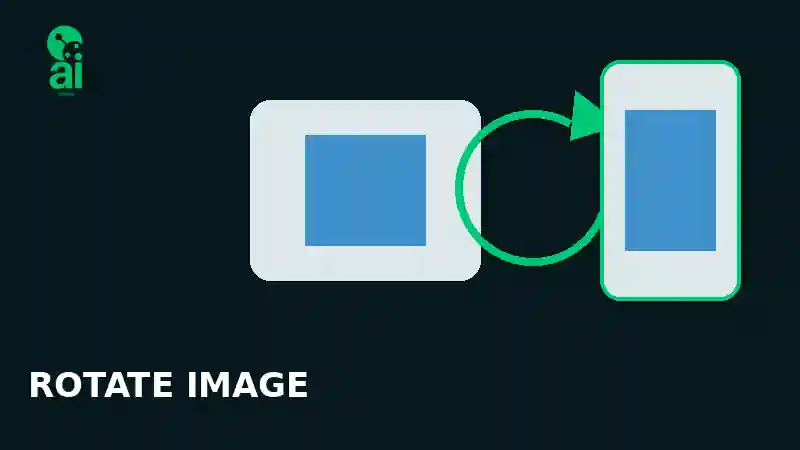
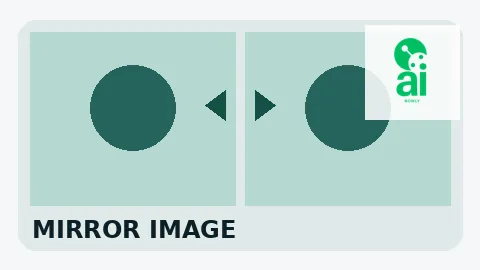
Mirroring reflects a picture across an axis. A horizontal flip swaps the left and right sides, while a vertical flip swaps the top and bottom. This is different from rotating a photo. Rotation turns the entire image around a center point; mirroring reverses its orientation.
How to mirror image online free with AiNowly
- Open the AiNowly Rotate & Flip Image tool.
- Select the JPG, PNG, or supported image you want to edit.
- Choose a horizontal flip for a left-to-right mirror effect or a vertical flip for a top-to-bottom reflection.
- Preview the result and make sure text, faces, and composition are oriented correctly.
- Download the finished image.
For a simple orientation fix, this is considerably faster than opening a complex desktop editor.
Horizontal flip vs vertical flip
Horizontal flip
A horizontal flip is what most people mean by “mirror image.” It makes the left side appear on the right and vice versa. It is especially useful for selfies, reflected text, directional graphics, product photos, and compositions where a person should face toward the center of a design.
Vertical flip
A vertical flip swaps the top and bottom of the picture. It can correct certain scanning mistakes or help create reflection-style effects in creative graphics.
Why selfies sometimes need mirroring
Phone camera previews and saved photos do not always use the same orientation. That is why a selfie can look unfamiliar after it is captured, or text on a shirt or sign may appear reversed. A horizontal mirror operation can quickly create the orientation you intended.
If the problem is that the picture is sideways rather than reversed, use our guide to rotate an image online free.
Mirror image vs rotate image
These operations are easy to confuse. If a portrait is lying on its side, rotate it 90 degrees. If the portrait is upright but left and right are reversed, mirror it horizontally. Applying both horizontal and vertical flips changes both axes and can resemble a 180-degree orientation change, but conceptually the operations are different.
Does flipping an image reduce quality?
The geometric flip itself rearranges where pixels appear rather than resizing the picture. This means you can preserve the original dimensions and avoid the softness commonly caused by unnecessary resizing. Output encoding can still matter for compressed formats such as JPEG, so it is sensible to avoid repeatedly saving the same JPEG through many editing cycles.
Mirroring PNG images with transparency
PNG is common for logos, graphics, stickers, signatures, and images with transparent backgrounds. When you mirror a transparent graphic, you generally want its alpha transparency preserved. After flipping, check the preview and exported file before using it in a final design.
If your source image still has an unwanted background, try the Background Remover first.
Common reasons to mirror a photo
Mirroring is useful far beyond selfies. Designers may flip a person so their gaze points toward a headline. Sellers may reverse a product photo to balance a marketplace graphic. Artists often mirror a composition to notice proportion problems. Social media creators can change the visual direction of a photograph so it fits better beside text or a call-to-action.
Fix backward text in a photo
If an entire photograph was captured as a mirror image, horizontally flipping it can make reversed writing readable again. However, if only one isolated text element is backward while the rest of the image is correct, flipping the whole picture will reverse everything else too. In that situation, a layer-based editor may be more appropriate.
Mirror images for social media designs
Direction matters in banners and promotional graphics. A person facing away from the main message can unintentionally pull attention toward the edge. Flipping the source photo can improve composition without another photo shoot.
After fixing the orientation, you can prepare platform graphics with AiNowly’s Social Banner Maker, resize assets using the Image Resizer, or compress the image before publishing.
Flip a product image for better layouts
Product photos often need empty space on one side for pricing, features, or promotional copy. If the object points into that empty area instead of away from it, a mirror flip can produce a more balanced layout. Be careful with products containing labels, logos, serial numbers, or readable text because mirroring will reverse those details too.
Should you mirror passport or ID photos?
For official documents, follow the exact requirements of the issuing authority rather than making creative orientation changes. If you only need dimensions and cropping guidance, see our passport-size photo cropping guide.
Useful edits after mirroring
A flip is often one step in a larger workflow. You might crop the image, adjust brightness and contrast, create a black-and-white version, or invert its colors. Keeping these tasks separate makes it easier to see exactly which edit changes the result.
Privacy considerations for online image tools
Personal photos can contain sensitive information, so understand how any online editor processes files before using it. AiNowly emphasizes lightweight browser tools and clearly labels its tool workflows. For sensitive images, always review the relevant tool information and your organization’s privacy requirements.
FAQ
Is mirroring the same as flipping?
A horizontal flip is commonly called mirroring because it produces the left-right reflection you would expect from a mirror.
Can I mirror a photo without Photoshop?
Yes. A dedicated browser tool can handle a simple horizontal or vertical flip without a large desktop editor.
Can I flip a selfie?
Yes. Horizontal flipping is commonly used when a selfie appears reversed or when visible text is backward.
Can I flip an image and keep its size?
A basic flip does not require changing the image’s width or height.
Final takeaway
If your photo is facing the wrong direction, contains reversed text, or simply fits a layout better when reflected, you can mirror image online free in a few seconds. Start with the AiNowly Rotate & Flip Image tool, preview the orientation carefully, and then continue with cropping, resizing, compression, or other edits only if they are actually needed.